
Install Nomad IPTV on Android – Easy Complete Guide 2026
Follow this simple step-by-step guide to install Nomad IPTV on your Android phone or tablet in under 5 minutes and start streaming 23K+ live channels instantly.
Before you install Nomad IPTV on Android, make sure your device is ready. Power on your Android phone or tablet and connect it to the internet via Wi-Fi or mobile data. A stable Wi-Fi connection is recommended for the best streaming experience. Also ensure you have enough storage space — at least 100MB free.
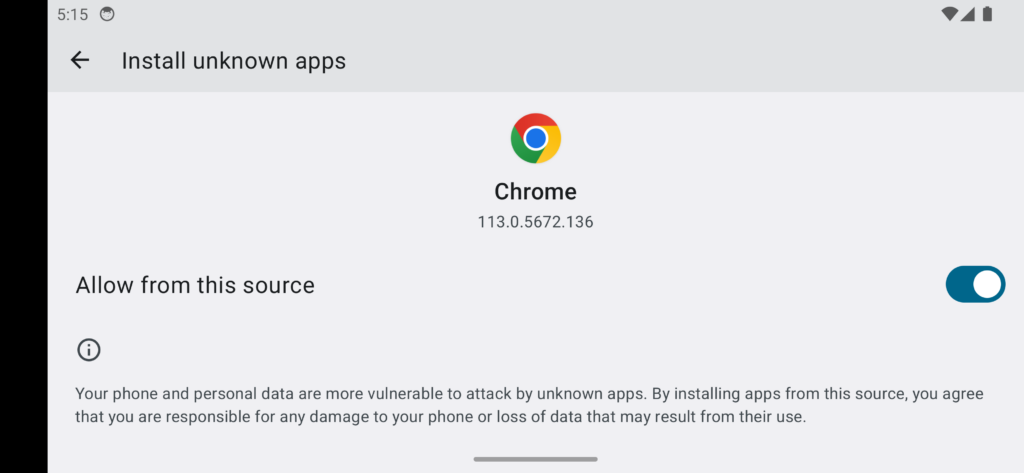
By default, Android devices do not allow installing apps from outside the Google Play Store. To install the Nomad IPTV app on Android, you first need to enable this setting. Go to your Android Settings → Security and look for "Unknown Sources" or "Install Unknown Apps" and turn it on.
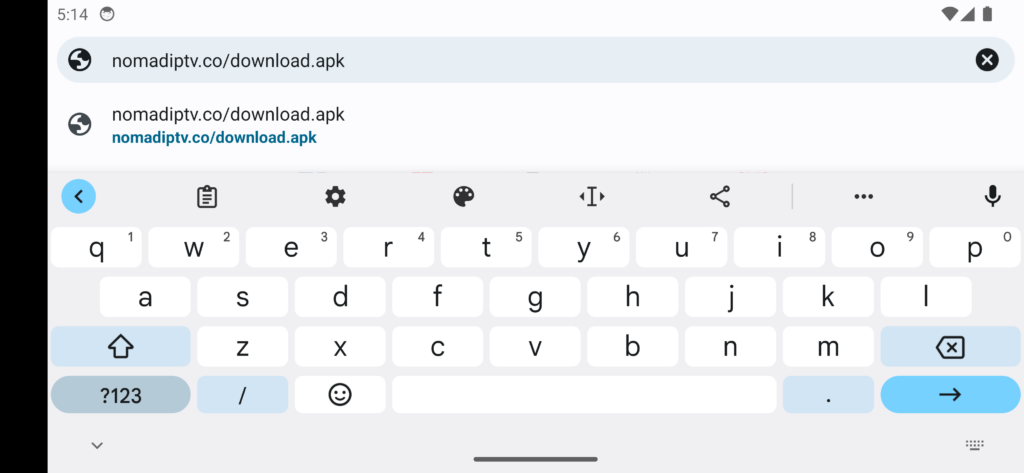
Open Google Chrome on your Android phone or tablet. In the address bar, type the Nomad IPTV download URL: that is provided in chat or email and press Go. This is the official and safe source to download the Nomad IPTV app APK directly.

When Chrome asks for permission to install apps, tap "Allow". You may see a prompt saying "Allow from this source" — make sure to enable this so Chrome can install the Nomad IPTV APK on your Android device without any issues.

The Nomad IPTV APK will now begin downloading to your Android device. Wait for the download to complete — it only takes a few seconds on a good connection. You will see the download progress in your notification bar at the top of the screen.

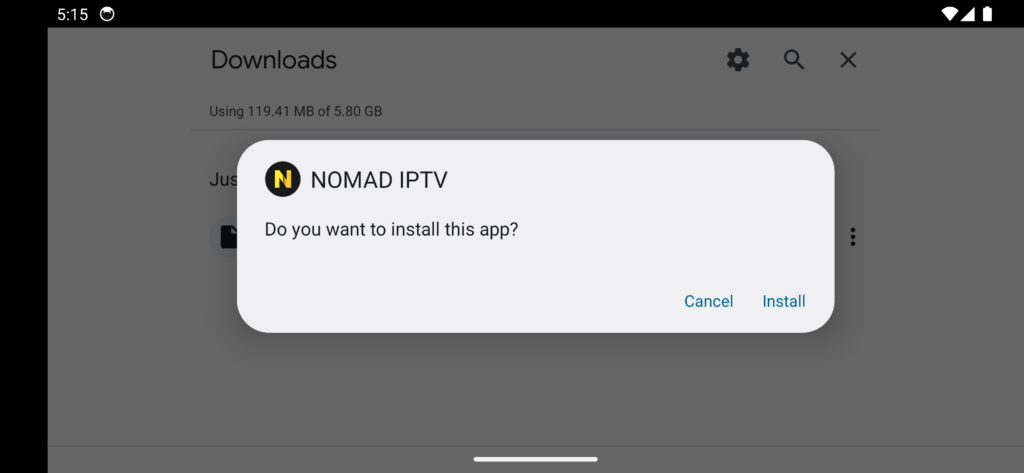
Once the APK file is downloaded, tap on it to begin installation. Follow the on-screen prompts and tap "Install" when asked. The Nomad IPTV app will be installed on your Android device within seconds. Do not close the screen during installation.
After installation is complete, open the Nomad IPTV app on your Android phone or tablet. You will be asked to select your device type — choose Android Phone or Android Tablet depending on the device you are using. This helps the app optimise the layout for your screen size.


You will now be prompted to enter your Nomad IPTV subscription details. These were sent to you by email when you subscribed. Enter your username, password, and the portal URL exactly as provided.
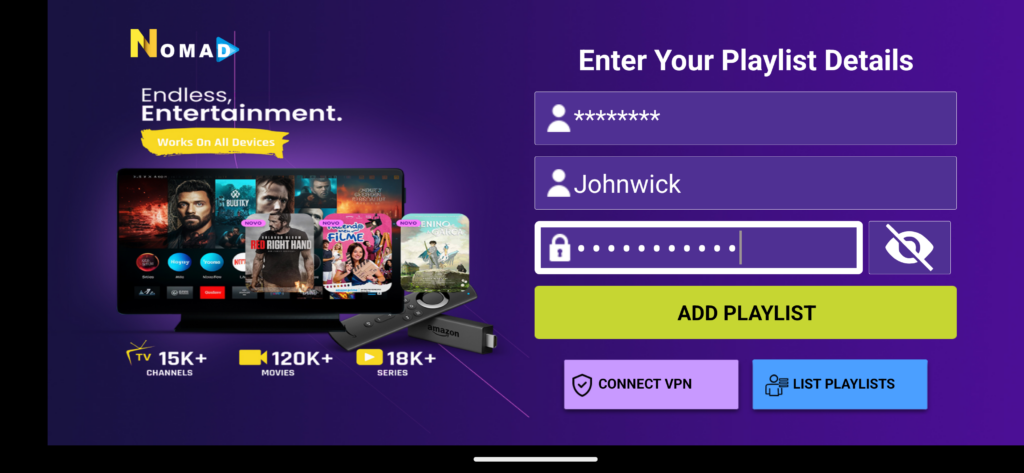
The Nomad IPTV app will now download all your channels, VOD content, and series to your Android device. This may take a moment depending on your internet speed. Once loaded, you are ready to enjoy 23K+ live channels in HD and 4K quality directly on your Android phone or tablet.


Frequently Asked Questions
Need Help? We're Here 24/7
If you need further assistance installing Nomad IPTV on Android, our support team is ready to help you get streaming in minutes.
💬 Contact Support